Circular Saw Not Cutting Straight? Causes and Fixes Explained
A circular saw often fails to cut straight because the blade is misaligned with the baseplate, the fence isn’t parallel to the blade path, or the user is forcing the tool through the material too quickly. Ensuring the blade is square to the baseplate and using a guide for every long cut will fix most tracking issues immediately.
Why Your Saw Is Drifting
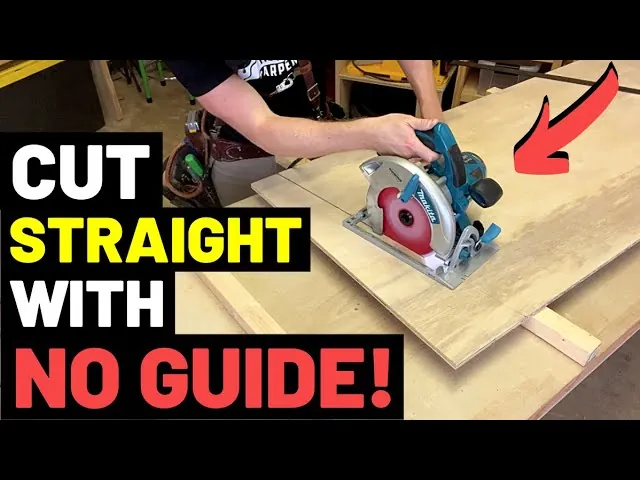
When your cuts wander, it’s rarely the tool’s fault; it’s usually a setup error or a technique problem. The blade must be perfectly perpendicular to the baseplate, and the baseplate must remain flat against the workpiece throughout the entire cut. If the blade is slightly tilted, it will naturally veer toward the side with less resistance, creating a curved or slanted edge rather than a clean, straight line.
Another common cause is blade deflection. Using a blade that’s dull, missing teeth, or made for a different material will cause it to wander even when you’re trying to stay on your mark. Check your blade for resin buildup, which increases friction and heat, leading to burning and poor cut quality. Always verify that your power cord isn’t snagging on the material or your workbench, as a tugged cord can pull the saw off its intended path mid-cut.
How to Align Your Saw for Straight Cuts
Follow these steps to restore your saw’s accuracy. You’ll need a framing square and a flat workspace to complete this adjustment.
- Unplug the tool: Always disconnect the power source before touching the blade to prevent accidental starts.
- Set the bevel to zero: Loosen the bevel adjustment knob and ensure the blade is at a perfect 90-degree angle to the baseplate.
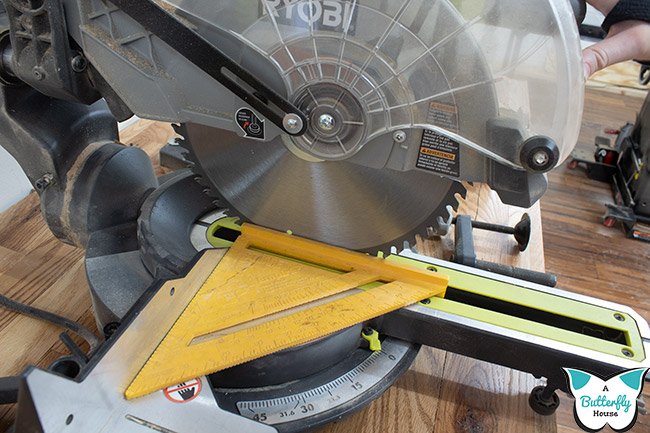
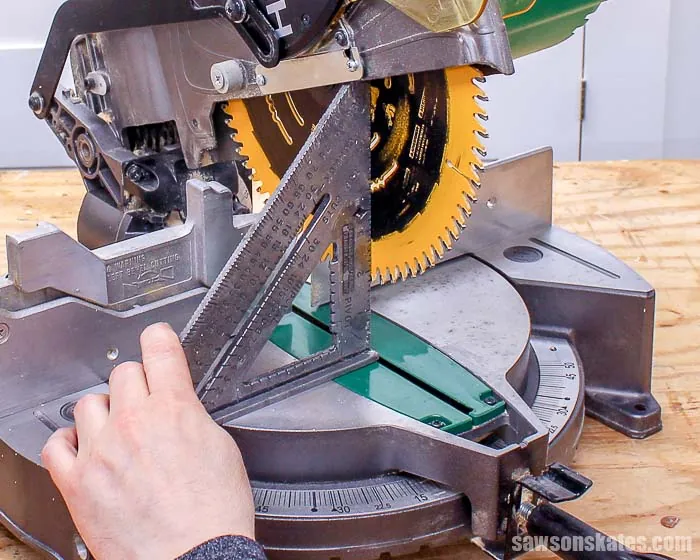
- Check squareness: Place the long leg of your square against the baseplate and the short leg against the blade body, avoiding the teeth.
- Adjust the stop: If you see a gap, loosen the bevel locking lever and adjust the angle until the blade sits flush against the square.
- Tighten and test: Secure the locking lever firmly and make a test cut on a piece of scrap wood to confirm the blade tracks straight.
Tip: Always measure from the blade’s tooth to the edge of the baseplate, not from the center of the blade, to ensure your guide is set to the correct offset.
Comparing Common Cutting Mistakes
Forcing the feed rate causes the blade to deflect, which ruins your square edge and leaves scorched, dark marks on the wood. If you feel yourself leaning into the tool, stop immediately. Let the motor reach full speed before contact and maintain a pace that feels effortless.
A loose guide is the most common cause of a ruined project. If your straightedge moves even a sixteenth of an inch, your cut will be permanently bowed. Always use two clamps, one at each end, and check for movement before you start the motor.
Dull blades are dangerous because they require more pressure, increasing the chance of kickback. If you see smoke or smell burning resin, clean the pitch off the teeth with a solvent. If the blade still struggles, replace it. A sharp blade should glide through hardwood with minimal, consistent resistance.
Is It Safe to Use a Damaged Blade?
Never use a blade that shows signs of warping, missing carbide teeth, or deep cracks near the arbor hole. A compromised blade vibrates violently, leading to kickback or causing the tool to drift uncontrollably during operation.
If you see any crack in the blade body, retire the blade immediately. Metal fatigue at the gullet often signals that the steel has lost its structural integrity. Attempting to weld or grind out these cracks creates a dangerous weak point that will likely shatter under the high centrifugal force of a spinning saw.
If the blade has sustained a heavy impact, check for flatness by laying it on a known reference surface like a granite plate. If you can slide a feeler gauge thicker than 0.005 inches under any point, the blade is permanently deformed. Using it will only ruin your motor bearings and compromise your cut accuracy.
Related guides
- 8 Best Circular Saws for Cutting Plywood and Sheet Goods
- 10 Best Circular Saws: Our Expert Picks for Every Project
- 10 Best Cordless Circular Saw Picks for Every Project Type
Frequently Asked Questions
Should I use a laser guide to keep my cuts straight?
Laser guides are helpful for rough alignment, but they aren’t a replacement for a physical fence or a clamped straightedge. They can be offset by a few millimeters depending on your viewing angle, so always rely on a physical guide for precise, long-distance cuts.
Why does my saw pull to the left?
A saw pulling to the left usually indicates that the baseplate isn’t properly aligned with the blade or that you’re applying uneven pressure on the handle. Check that your baseplate is tight and try applying more downward pressure on the front of the saw to keep it steady.
How often should I clean my saw blade?
You should clean your blade whenever you notice a buildup of dark, sticky resin or if the saw starts to smoke during cuts. Using a specialized resin remover will keep the teeth sharp and reduce friction, which prevents the blade from wandering off your marked line.
Conclusion
Check your baseplate alignment and replace any dull blades before starting your next project. If the saw continues to drift after these adjustments, inspect the motor housing for loose screws or damage that might indicate a deeper mechanical fault. Always prioritize using a clamped guide for every cut longer than a few inches.