Trim Router Speed Settings: How to Match RPM to Wood and Bits
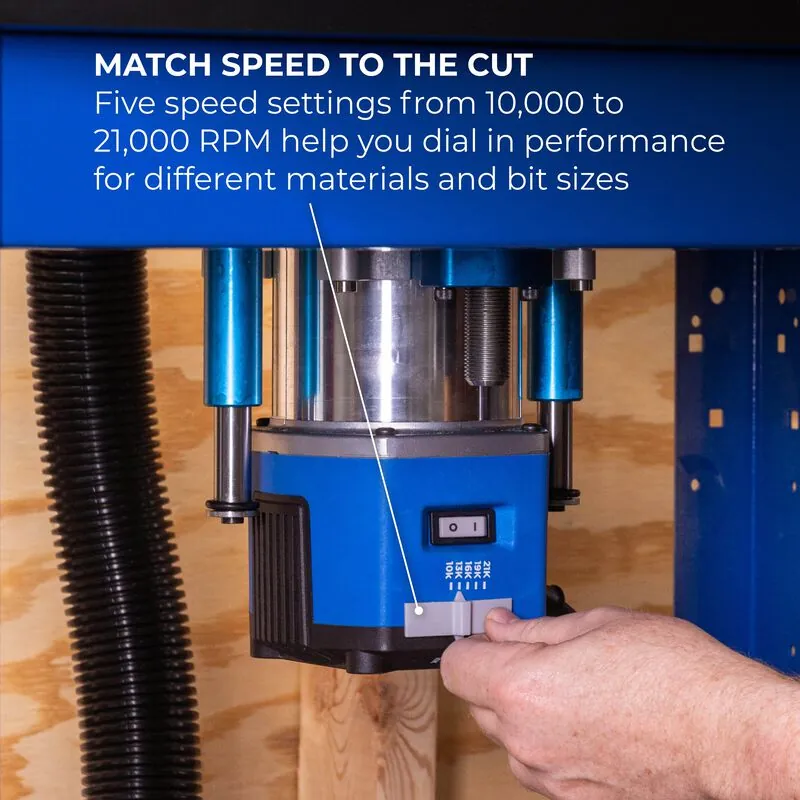
Small router bits require high speeds for a clean cut, while larger bits need lower settings to prevent burning and vibration. You can achieve professional results by matching your trim router’s rpm to the wood type and the diameter of the bit. This guide explains how to select the correct rotation speed for your specific project.
Understanding Router Bit Mechanics
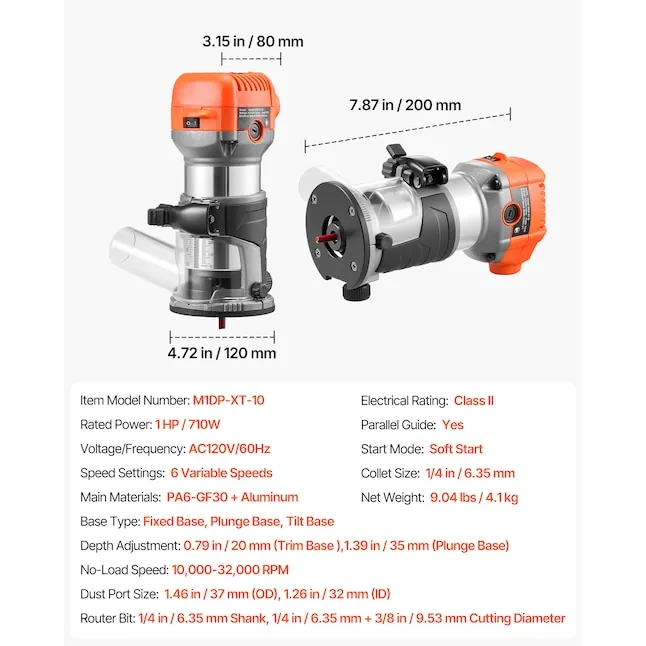
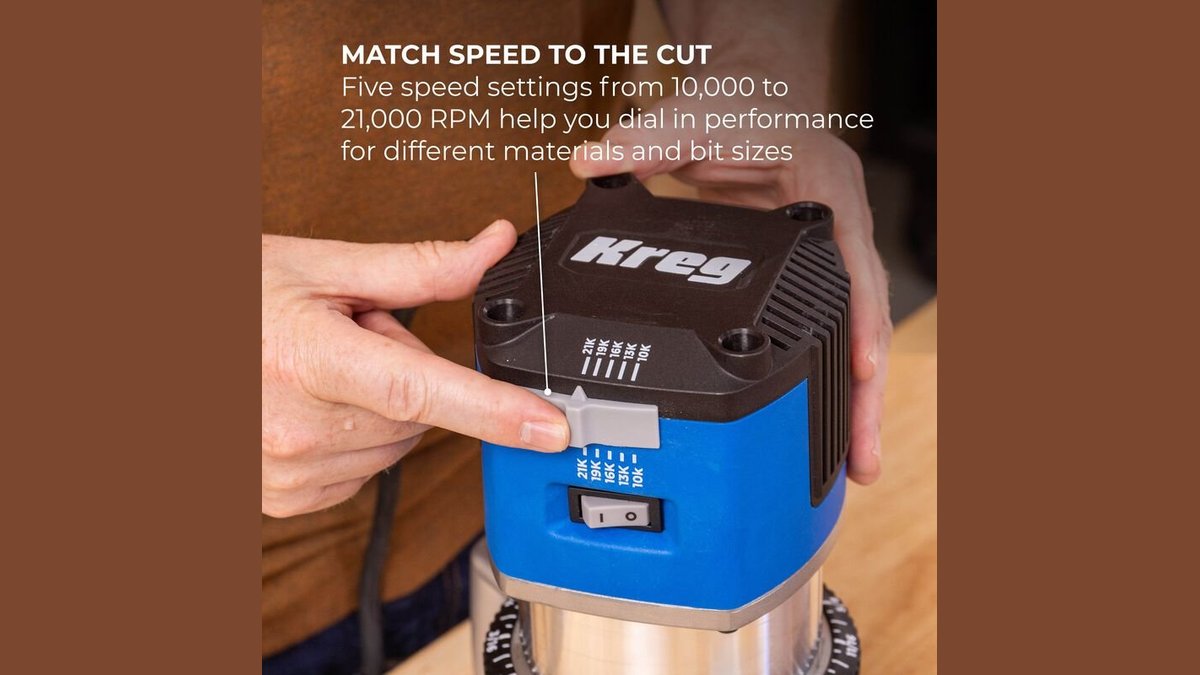
A trim router is a lightweight tool designed for edge work, laminate trimming, and small joinery. These machines often spin at very high speeds, sometimes reaching 30,000 RPM. The primary purpose of adjusting the speed is to match the peripheral speed of the bit’s cutting edge to the material you’re working with.
If you spin a large bit too fast, the outer edges move at a speed that creates excessive heat, which ruins the bit and burns the wood. If you spin a tiny bit too slowly, it will tear or chip the wood fibers rather than slicing them cleanly. A common misconception is that “faster is always better” for a smooth finish. In reality, the goal is to maintain the highest speed that doesn’t burn the workpiece or cause chatter.
How to Select Trim Router Speed Settings for Wood and Bit Size
Follow these steps to ensure you’re using the correct speed for your router bit and material.
- Check the manufacturer’s packaging for the maximum rated RPM of your specific bit.
- Use a lower setting, around 10,000 to 15,000 RPM, for bits with a diameter larger than 1 inch.
- Set your router to the maximum speed, typically 25,000 to 30,000 RPM, for bits smaller than 1/2 inch.
- Test your settings on a scrap piece of the same wood species to check for burning or tear-out.
- If you see burn marks on the wood, reduce the RPM by one increment or increase your feed rate.
- Always ensure the router is unplugged before you change any bits or adjust the collet.
The critical judgement call is balancing your feed rate with the speed. If you move the tool too slowly, the bit stays in one spot too long and creates heat, even at lower speeds.
Router Speed and Material Guide
This table provides a starting point for your trim router speed settings. Note that these are general guidelines; always verify the bit’s maximum rated speed before starting.
| Bit Diameter | Softwood Speed | Hardwood Speed | What to watch for |
|---|---|---|---|
| Under 1/2 inch | High | High | Excessive noise |
| 1/2 to 1 inch | Medium | Medium-High | Dark burn marks |
| 1 to 1-1/2 inch | Low-Medium | Low | Heavy vibration |
| Over 1-1/2 inch | Low | Low | Chipping edges |
Achieving a Clean Cut Every Time
Experienced woodworkers prepare by setting their speed before they even plug in the tool. They also ensure the workpiece is firmly clamped to the bench, as vibration is the enemy of a clean finish. If the router feels like it is “jumping” or vibrating, the speed is likely too high for the bit size, or the bit is dull.
If it feels hot to the touch, you’re burning the wood. Experienced users leave the speed alone if the cut is clean and the machine runs smoothly. They only adjust settings if they notice smoke, smell burning wood, or see jagged edges on the profile.
Identifying Problems and Quick Fixes
When your router isn’t performing as expected, use this table to diagnose the issue.
| What you notice | What it usually means | What to do first |
|---|---|---|
| Dark burn marks | Feed rate is too slow | Increase your movement speed |
| Rough or torn grain | Bit is dull or speed too low | Replace bit or increase RPM |
| Excessive vibration | Bit is too large or unbalanced | Decrease the speed setting |
| Motor laboring/stalling | Too much material removed | Take several smaller passes |
Safety and Operational Rules
Always follow the manufacturer’s manual for your specific router model regarding maximum RPM limits. The Underwriters Laboratories standards for power tools emphasize that using a bit beyond its rated speed can lead to catastrophic failure of the cutter.
If you’re ever unsure about a bit’s speed rating, assume the lower value to maintain control. Never attempt to use a bit larger than the recommended diameter for your specific trim router, as this can cause the motor to overheat or the bit to snap.
Maintaining Your Router Performance
After your project is complete, clean the collet and the router base with compressed air to remove resin buildup. Resin causes bits to slip and creates unnecessary friction, which makes the tool run hotter than it should.
Store your bits in a dry wooden case to prevent the cutting edges from touching each other. If a bit begins to produce “chatter” marks that you can’t fix with a speed change, the edge is likely dull and needs professional sharpening or replacement.
When to Use a Different Tool
A trim router isn’t the right tool for deep mortising or heavy stock removal on dense hardwoods. If you find yourself taking more than three passes to reach the desired depth, switch to a full-sized plunge router.
A larger tool provides the torque needed for heavy-duty work without the strain that causes small trim routers to burn out. If you’re working on a very large surface, a circular saw or a table saw is a safer and faster alternative to using a router for simple straight cuts.
Related guides
- 10 Best Router Bits for a Trim Router: Essential Profiles
- Cordless vs. Corded Trim Routers: Which Makes More Sense?
Frequently asked questions
Can I use a high speed for all router bits?
No, you can’t use a high speed for all bits because larger cutters will overheat and burn the wood. Always match the RPM to the bit diameter; larger bits require significantly slower speeds to operate safely and effectively.
How long should a router bit stay sharp?
It depends on the material you cut; hardwoods and materials like MDF will dull a bit much faster than softwoods. You’ll know it’s time to sharpen or replace the bit when you see burn marks even at correct speeds.
Is it safe to change the speed while the router is running?
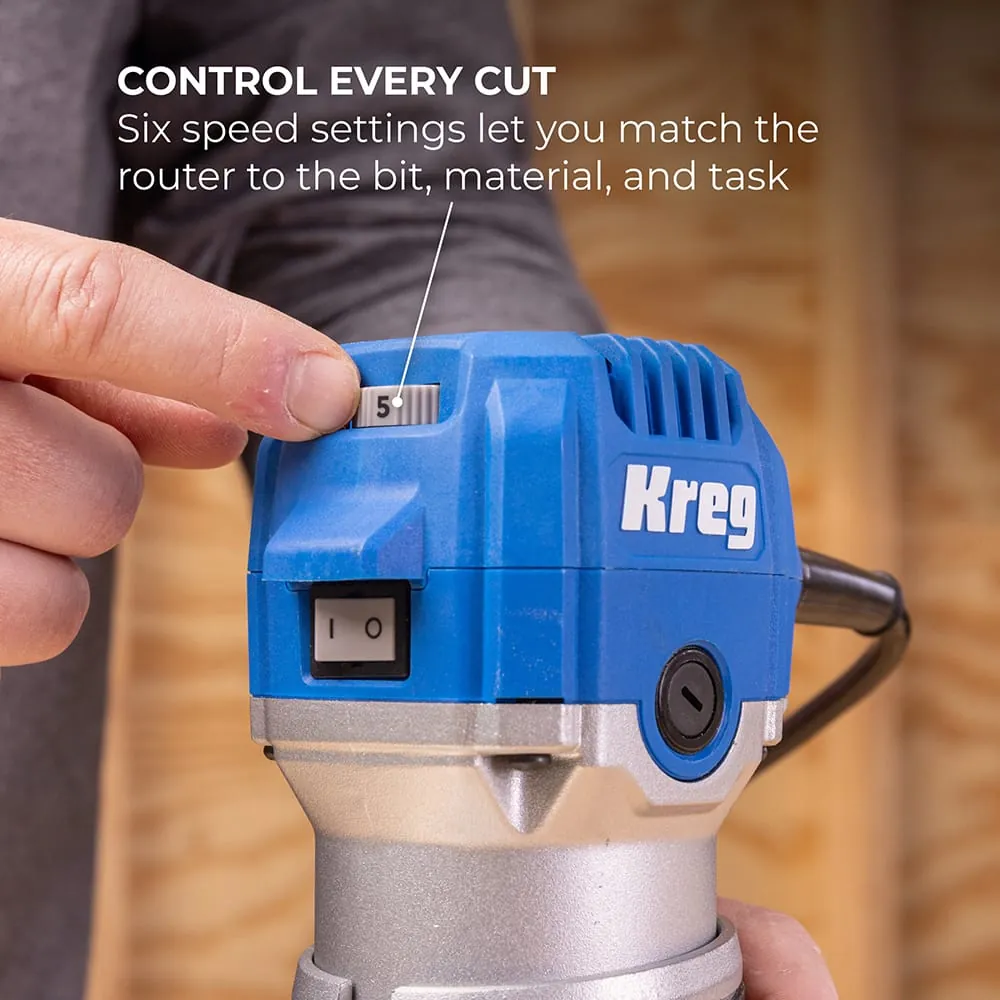
Yes, it’s safe to adjust the speed dial while the router is running, provided you maintain a firm grip on the tool. Always turn the router off, wait for the motor to come to a complete stop, and then make your adjustments to the speed settings.
What happens if I use a bit that’s too large?
If you use a bit that’s too large for your trim router, you risk excessive vibration and potential motor burnout. Most trim routers have a maximum bit diameter limit specified in the manual; always check this before you start.
How do I know if my speed is too slow?
You’ll know the speed is too low if the bit leaves a jagged, torn, or rough finish on the wood. If you’re moving at a normal pace and the wood looks splintered, increase your RPM by one setting.
Can I use a variable speed dial on any router?
No, only routers equipped with electronic speed control can have their RPM adjusted. If your router is a single-speed model, you must adjust your feed rate—how fast you push the tool—to compensate for the bit size and wood type.
Conclusion
Always verify your specific tool’s capability by checking the data plate or the owner’s manual provided by the manufacturer. If your router lacks a speed dial, you’re limited to the tool’s factory-set speed, which is usually optimized for small bits.