Why Your Oscillating Tool Blade Is Not Cutting and How to Fix It
When an oscillating tool blade stops cutting, it’s usually because the teeth have become dull, the mounting bolt is loose, or the wrong blade type is being used for the material. You can often restore performance by cleaning debris from the mount, tightening the accessory, or replacing a worn-out blade with a fresh one designed for the specific job.
Why your oscillating tool blade isn’t cutting
When your tool vibrates but fails to remove material, the issue is almost always related to the connection point or the condition of the blade itself. Review this list to identify the most probable cause of your problem:
- Dull or Clogged Teeth: Hard materials like metal or dense hardwoods wear down metal teeth quickly. If the gullets between the teeth are filled with dust or resin, the blade can’t bite into the surface.
- Loose Accessory Mount: If the blade isn’t seated perfectly against the drive pins or the bolt is loose, the tool’s energy is lost to rattling instead of transferring to the cut.
- Incorrect Blade Material: Using a standard wood-cutting blade on metal or masonry will ruin the edge in seconds. Always match the blade type to your specific material.
- Excessive Heat Buildup: Pushing too hard generates friction that softens the metal teeth. This causes the edge to lose its hardness, leaving you with a blade that just burns the wood rather than cutting it.
- Battery or Power Issues: A tool that isn’t receiving enough power will struggle to maintain the high-frequency oscillation required for effective cutting.
| Symptom | Most Likely Cause | What to Do |
|---|---|---|
| Blade gets hot but won’t cut | Dull teeth or wrong blade | Switch to a fresh, correct-type blade |
| Visible wobbling at the mount | Loose mounting bolt | Tighten the bolt or re-seat the blade |
| Slow cutting in soft wood | Clogged teeth | Clean debris or replace the blade |
| Tool vibrates without progress | Damaged drive pins | Inspect the tool head for wear |
How to Safely Check Your Tool
Before assuming the tool is broken, perform these simple checks to ensure everything is set up correctly. Always remove the battery or unplug the power cord before touching the blade to prevent accidental activation.
Tip: If the blade teeth feel smooth or rounded when you run a fingernail lightly against them, the blade is dull and needs replacement.
- Inspect the Mount: Check that the blade is properly seated on the accessory pins. If the blade is loose or not flush against the drive head, it won’t transfer power effectively.
- Clear the Area: Use a stiff brush to remove any buildup from the arbor and the blade mount. Even a small amount of packed sawdust can prevent a tight fit.
- Check Battery Health: If you’re using a cordless tool, ensure the battery is fully charged. A low battery often limits the tool’s ability to reach the speed required for efficient cutting.
- Verify Blade Geometry: Ensure the blade isn’t bent or warped. A blade that has been pushed too hard can lose its flat profile, causing it to drag against the sides of the cut.
Never try to sharpen a carbide-tipped or bimetal blade yourself, as this requires specialized grinding equipment and can weaken the structural integrity of the metal.
When to Replace the Tool or Seek Repairs
Most cutting issues are resolved by changing the accessory or tightening the mount. If you have installed a brand-new, correct-type blade and the tool still fails to cut while vibrating normally, the internal drive mechanism may be worn.
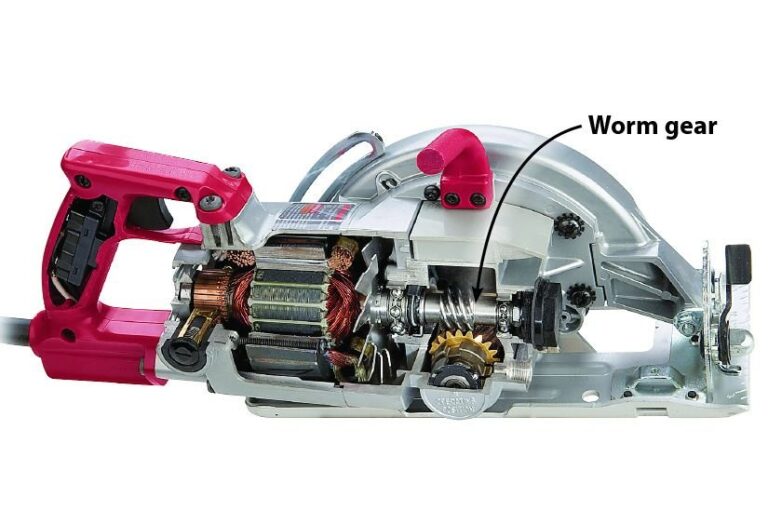
If the tool makes grinding noises or the head feels excessively loose even when the bolt is tight, the internal gears are likely stripped. In these cases, it’s often more cost-effective to replace the unit than to pay for a professional repair. Internal gear replacement requires opening the housing, which voids most warranties and poses a risk to the tool’s alignment. If the tool is still under warranty, contact the manufacturer’s support line to discuss your options for a replacement.
Related guides
- 8 Best Oscillating Tool Blades for Cutting Metal, Nails, Screws
- Circular Saw Not Cutting Straight? Causes and Fixes Explained
- Circular Saw Cutting Depth: 90-Degree and Bevel Capacity Guide
Frequently Asked Questions
Can I sharpen my oscillating tool blade at home?
It isn’t recommended to sharpen these blades because the teeth are often hardened or coated with special materials like titanium. Attempting to sharpen them with a standard file will likely remove the coating and leave you with a blade that dulls again almost immediately.
Why does my blade turn blue after a few seconds?
Blue discoloration indicates that the metal has been overheated, usually by applying too much pressure or cutting too fast. This heat permanently softens the steel, meaning the blade is now ruined and should be replaced for safety and performance.
Is it safe to use universal blades on my tool?
Yes, many universal blades fit a wide range of tool brands, but you must ensure the connection is tight. If the blade feels loose or shifts while attached, it isn’t the correct fit and could slip during use, which is a safety hazard.
Conclusion
Start by replacing your current blade with a new one specifically rated for the material you’re cutting. If the performance doesn’t improve immediately, inspect the mounting bolt for signs of wear and ensure the tool is receiving full power from your battery or wall outlet.