How to Stop a Router Bit from Slipping in the Collet: Fixes
To stop a router bit from slipping in the collet, you must ensure the shank and collet are perfectly clean, the bit is inserted to the correct depth without bottoming out, and the nut is tightened to the manufacturer’s specified torque. Slippage is rarely caused by a single factor but is instead the result of mechanical interference, accumulated resin, or structural wear within the collet assembly. Addressing these issues systematically will prevent bit migration, improve cut quality, and significantly enhance your overall shop safety.
Key Takeaways
- Clean surfaces: Use a brass wire brush or specialized solvent to remove built-up wood resin from the collet and shank.
- Correct insertion: Always pull the bit back about 1/8 inch after it touches the bottom to allow for heat expansion and prevent “bottoming out.”
- Collet maintenance: Replace collets every 12 to 18 months in high-production environments to avoid fatigue and loss of clamping force.
- Torque control: Never overtighten the collet nut, as this can deform the collet metal and lead to permanent misalignment.
- Inspection: Check for hairline cracks in the collet fingers; even microscopic fractures will cause the bit to loosen during high-speed rotation.
Understanding Router Bit Slippage Causes
Router bit slippage occurs when the clamping force exerted by the collet is insufficient to overcome the centrifugal and vibrational forces generated during operation. The most common culprit is the buildup of resin—a mixture of sap, dust, and heat-cured oils—that acts as a lubricant between the steel surfaces. When this residue is present, the friction coefficient drops, allowing the bit to slide downward as the router spins at speeds often exceeding 20,000 RPM.
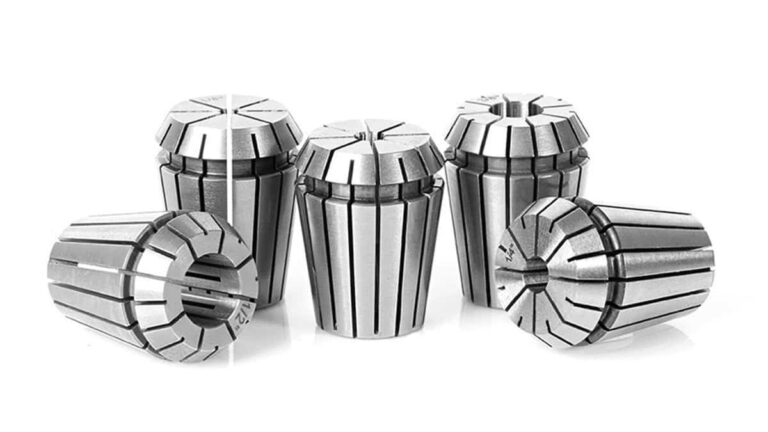
Beyond residue, the physical geometry of the collet is a major factor. A collet is a precision-engineered device designed to compress evenly around a cylindrical shank. If the collet has been subjected to excessive heat or overtightening, the metal loses its memory, preventing it from gripping the shank uniformly. Furthermore, using a collet designed for a specific shank diameter (e.g., 1/2 inch) with a slightly different metric size (e.g., 12mm) is a frequent cause of catastrophic failure.
| Factor | Effect on Clamping | Solution |
|---|---|---|
| Resin Build-up | Reduces friction | Degrease with solvent |
| Overtightening | Deforms collet | Replace collet |
| Bottoming Out | Prevents proper seat | Pull back 1/8 inch |
| Worn Threads | Uneven pressure | Lubricate or replace nut |
How to Stop a Router Bit from Slipping in the Collet
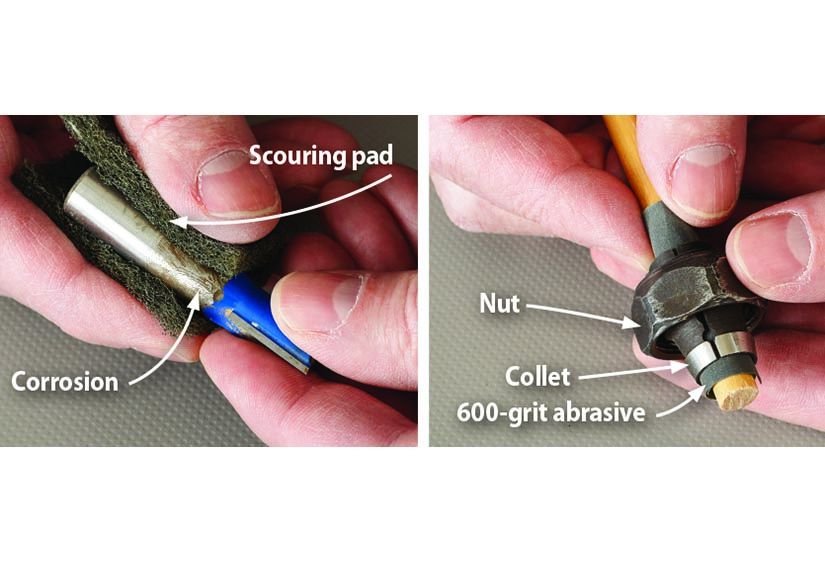
To stop a router bit from slipping in the collet, you must first disassemble the entire assembly to perform a deep cleaning. Start by removing the collet nut and the collet itself from the router spindle. Inspect the internal tapered bore of the spindle for any debris. If you find hardened resin, use a mild solvent such as denatured alcohol or a specialized bit cleaner. Avoid harsh abrasives that could change the tolerance of the steel.
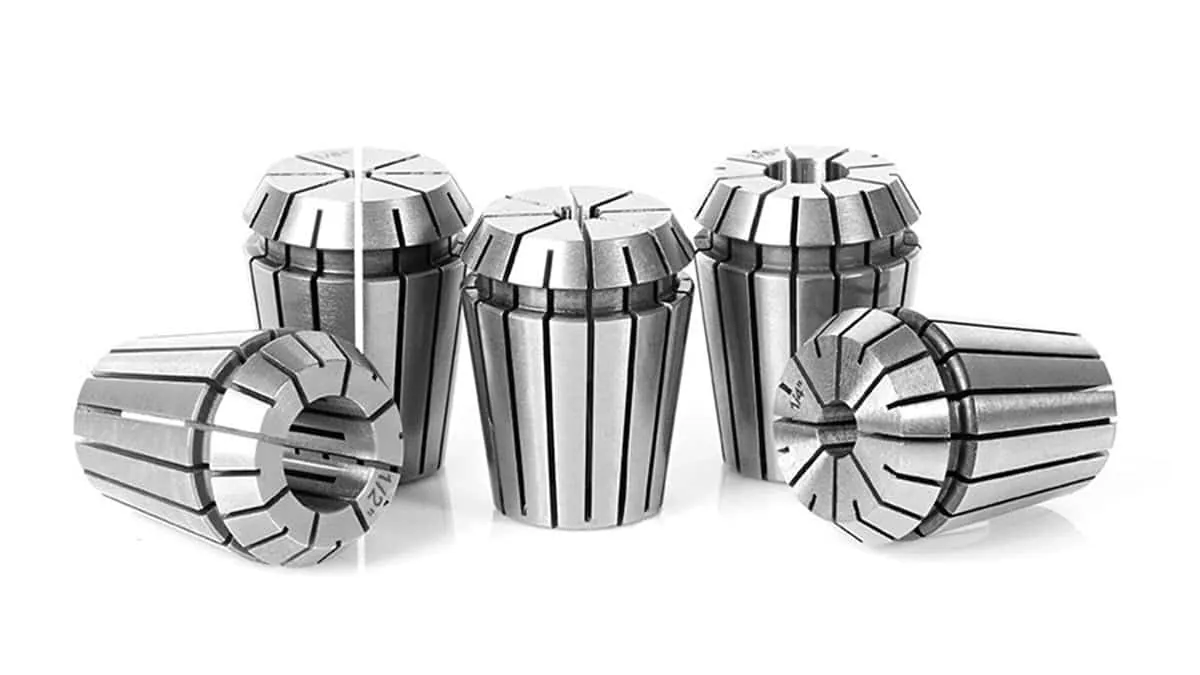
Once clean, inspect the collet fingers. These should be perfectly straight and symmetrical. If any finger is bent, cracked, or shows signs of bluing from extreme heat, discard it immediately. Never attempt to repair a damaged collet, as the rotational forces involved make structural failure a significant safety hazard. When reinserting the bit, ensure that the shank is clean and free of any oils or coatings that might reduce the grip.
Proper Insertion and Depth Techniques
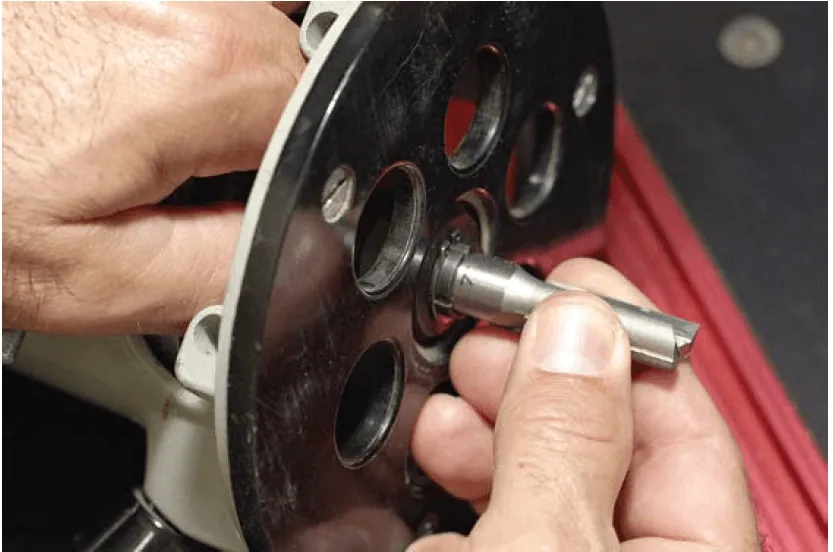
A common mistake that leads to slippage is pushing the bit shank all the way to the bottom of the collet. When the router runs, the metal components expand due to heat. If the bit is bottomed out, this expansion can push the bit out of its optimal clamping position, causing it to loosen. As noted by the Occupational Safety and Health Administration, proper bit installation and secure clamping are essential to prevent the tool from being ejected during operation.
Always insert the bit fully, then withdraw it approximately 1/8 inch before tightening. This small gap provides a buffer for thermal expansion and ensures the collet has enough surface area to grip the shank securely without interfering with the bottom of the spindle housing.
Why Is My Router Bit Still Moving?
If you have cleaned the assembly and followed the depth guidelines but the bit still moves, you’re likely dealing with a worn-out component. Over time, the constant cycling of heat and pressure causes the collet to lose its elasticity. A fatigued collet spring will no longer be able to maintain the necessary tension, regardless of how hard you turn the wrench.
Check the collet nut threads as well. If the threads are damaged or clogged with debris, they may not be pulling the collet into the taper with the required force. Many woodworkers find that replacing the collet and the nut as a matched set solves persistent slippage issues. If the problem persists after replacing these parts, the spindle taper itself may be damaged, which would require professional repair or a replacement router motor.
Recommended Cleaning and Maintenance Schedule
Maintaining your equipment ensures consistent performance and safety. A proactive maintenance schedule prevents the accumulation of resin that leads to slippage.
- Daily: Wipe the router bit shank with a clean cloth to remove dust.
- Weekly: Inspect the collet and nut for visible resin buildup.
- Monthly: Use a non-residue solvent to clean the collet interior and spindle taper.
- Yearly: Replace the collet if you notice any signs of fatigue, scarring, or loss of holding power.
How to Tighten Properly
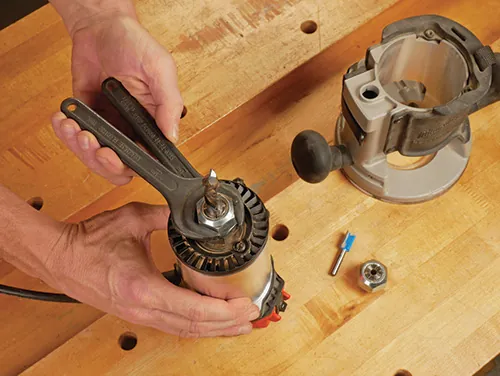
Tightening the collet requires a balance between force and caution. Use two wrenches: one to hold the spindle stationary and one to turn the collet nut. Avoid using a hammer or “cheater bar” on your wrenches to gain extra leverage, as this is a common cause of collet deformation and failure. Simply tighten the nut until firm resistance is felt, then give it an additional quarter-turn.
If your router uses a self-releasing collet system, ensure that the nut is fully engaged with the collet grooves before tightening. You should feel a distinct “click” when the collet snaps into the nut. If the collet isn’t properly seated inside the nut, it will tighten unevenly, creating a wedge effect that can damage both the collet and the router spindle.
Troubleshooting Common Collet Issues
When troubleshooting, start with the easiest fixes and move toward replacement components.
- Check for Resin: Is the shank sticky? Clean it with a specialized router bit cleaner.
- Inspect the Taper: Is there dust inside the spindle? Clean the cavity thoroughly.
- Evaluate Shank Quality: Are you using high-quality bits? Cheap bits often have undersized or poorly finished shanks that don’t grip well.
- Test the Nut: Does the nut turn smoothly? If it feels gritty, the threads may be damaged.
- Assess the Collet: Does it snap into the nut? If it falls out easily, the retention ring is likely worn.
Selecting the Right Bits and Collets
The quality of your router bits directly impacts how well they stay in the collet. Industrial-grade bits from brands like Freud, Amana Tool, or Whiteside are machined to tight tolerances, ensuring a consistent diameter that matches standard collet sizes. Avoid “budget” bits found on discount marketplaces, as these often have shanks that are slightly undersized, making it impossible for a standard collet to achieve a firm grip.
Furthermore, ensure your collet size matches the bit shank exactly. Using a 1/2-inch collet for a 12mm bit is a recipe for disaster. While 12mm and 1/2 inch are close, the 0.7mm difference is enough to prevent the collet from closing properly, leading to vibrations, chatter, and eventual slippage.
Essential Tools for Maintenance
To keep your router in top condition, keep these items in your shop toolkit:
- Brass-bristled brushes: Safely remove resin without scratching steel.
- Denatured alcohol: A fast-drying solvent that leaves no residue.
- Precision wrenches: Always use the manufacturer-supplied wrenches to avoid damaging the nut flats.
- Magnetic pickup tool: Useful for retrieving small collets from deep spindle bores.
- Compressed air: Regularly blow out the collet area to remove dust that could interfere with clamping.
Preventing Future Slippage
Proactive habits are the best way to prevent future issues. Always allow the router to reach full speed before making contact with the workpiece. If you start a cut while the router is still ramping up, the sudden torque can cause the bit to shift or “walk” in the collet.
Additionally, take shallower passes to reduce the load on the bit. By limiting the amount of material removed in a single pass, you reduce the vibrational force that contributes to bit migration.
Pro Tip: If you work in a dusty environment, consider covering the router collet area with a temporary tape or shield when not in use to prevent fine sawdust from settling into the spindle taper.
Related guides
- Impact Driver Bit Keeps Slipping or Falling Out: Quick Fixes
- Corded Drill Chuck Slipping? Causes, Checks and Easy Fixes
Frequently Asked Questions
Why does my router bit vibrate?
Vibration is usually caused by the bit not being seated evenly in the collet or the bit shank being slightly bent. If the bit isn’t perfectly centered, it creates an imbalance that results in chatter. Ensure the collet is clean and the bit is inserted correctly. If the vibration continues, the bit itself may be damaged or poorly balanced from the factory.
Can I use lubricant on the collet threads?
It’s generally discouraged to use heavy oils or greases on collet threads, as these attract dust and create a gummy paste that interferes with clamping. If the nut is difficult to turn, clean the threads thoroughly with a solvent and a nylon brush. If you must use a lubricant, apply a very light, dry-film lubricant that won’t attract wood particles or sawdust.
How do I know if my collet is worn out?
A worn collet often shows visible signs of fatigue, such as hairline cracks in the fingers or a permanent “set” where the fingers stay compressed even when the nut is loose. If you find yourself having to overtighten the nut to keep the bit from slipping, or if the bit shows circular scoring marks on the shank, your collet has likely lost its spring tension.
Is it safe to use a reducer sleeve?
Reducer sleeves, which allow you to use smaller shank bits in larger collets, are generally safe if they’re high-quality, precision-machined steel. However, they introduce an extra point of failure. Ensure both the sleeve and the bit shank are perfectly clean and free of debris. If you have the option, it’s always safer and more accurate to use a dedicated collet for the specific shank size.
Should I use a cleaning solvent on the bit shank?
Yes, using a solvent like denatured alcohol or a specialized resin remover on the bit shank is excellent practice. Resin buildup is the leading cause of friction loss. By keeping the shank clean and dry, you ensure the steel-to-steel contact is maximized. Just ensure the solvent has completely evaporated before installing the bit into the router to prevent any chemical reaction.
Conclusion
Regular maintenance is the most effective way to ensure your shop remains a productive environment. Start by cleaning your collet and checking your bit shanks today; if you find any signs of wear or persistent slippage, prioritize replacing the collet immediately to maintain your equipment’s precision and ensure your personal safety during every routing task.